Welcome STARK TOUCH DEVICE!


Solutions
Wall-mounted industrial control computer space adaptation
Wall-Mount Industrial Control Computer Space Adaptation: Key Considerations for Efficient Installation
Wall-mount industrial control computers are designed to save floor space while providing reliable performance in environments like factories, warehouses, or energy facilities. Their compact, vertical designs demand careful planning to ensure compatibility with existing infrastructure, safety compliance, and optimal functionality. Below are critical factors to address when adapting these systems to specific spaces.
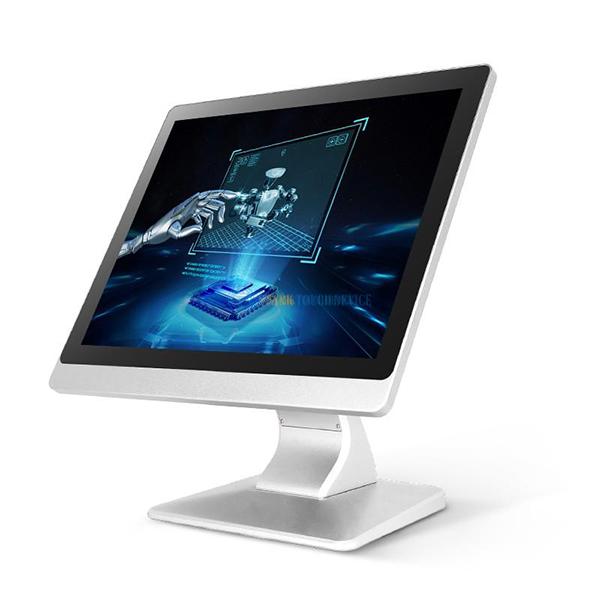
Structural Compatibility and Mounting Surface Requirements
Wall Material and Load-Bearing Capacity
The first step in installation is evaluating the wall’s structural integrity. Walls made of concrete, brick, or steel typically support heavier loads, while drywall or partition panels may require reinforcement. Verify the computer’s weight and dimensions to avoid overloading the mounting surface.
For example, a lightweight aluminum-chassis computer might suit drywall with anchors, while a heavier steel-encased unit needs a concrete or steel stud wall. Use load-bearing tests or consult structural engineers for high-weight applications to prevent wall damage or system failure.
Mounting Hardware Selection and Placement
Wall-mount computers rely on brackets, rails, or frames to secure them to surfaces. Choose hardware that matches the computer’s mounting points (e.g., VESA patterns or proprietary interfaces) and the wall’s material. For concrete, use chemical anchors or expansion bolts; for drywall, opt for toggle bolts or hollow-wall anchors.
Position the computer at an ergonomic height—typically between 1.2 and 1.7 meters from the floor—to allow easy access to ports, buttons, and displays. Avoid placing it near doors, windows, or high-traffic areas where vibrations or accidental impacts could occur.
Environmental and Operational Constraints
Temperature and Humidity Management
Industrial settings often expose equipment to extreme temperatures and humidity, which can affect performance. Wall-mount computers should specify operational ranges, such as -10°C to 50°C for cold storage or 0–85% humidity for humid environments.
Install the computer away from heat sources like boilers, furnaces, or direct sunlight to prevent overheating. In high-humidity areas, use sealed enclosures or desiccant packs to reduce moisture ingress. For dusty environments, choose models with filtered ventilation or positive-pressure cooling to maintain internal cleanliness.
Vibration and Shock Resistance
Machinery, conveyors, or forklifts can generate vibrations that disrupt sensitive components. Wall-mount computers designed for industrial use often feature ruggedized chassis or anti-vibration mounts to absorb shocks.
When installing near vibrating equipment, ensure the mounting hardware includes rubber isolators or shock-absorbing pads. Position the computer on a wall section least affected by vibrations, such as a solid concrete pillar rather than a lightweight partition.
Connectivity and Cable Management Strategies
Network and Peripheral Accessibility
Wall-mount computers must connect to sensors, actuators, and enterprise networks, requiring careful cable routing. Plan the installation to minimize cable lengths and avoid sharp bends, which can degrade signal quality or cause disconnections.
For Ethernet or fieldbus connections, use shielded cables in noisy environments to reduce electromagnetic interference (EMI). Route cables through conduits or cable trays attached to the wall to protect them from physical damage. Label cables clearly to streamline maintenance and troubleshooting.
Power Supply and Redundancy Options
Reliable power is critical for industrial control systems. Verify the wall’s proximity to power outlets or distribution panels to avoid long extension cords, which pose safety risks. Some computers support DC power inputs (e.g., 24V DC) for compatibility with industrial power systems.
For high-availability applications, consider redundant power supplies or uninterruptible power supplies (UPS) mounted nearby. Ensure the wall can support the additional weight of these components and that cables are organized to prevent tangling or accidental unplugging.
Maintenance and Future-Proofing Considerations
Accessibility for Upkeep and Upgrades
Wall-mount computers should allow easy access to internal components for cleaning, repairs, or upgrades. Choose models with hinged or removable front panels or tool-less access designs to reduce downtime during maintenance.
Plan the installation to leave sufficient space around the computer for technicians to work comfortably. For example, ensure there’s room to open the chassis or replace drives without moving adjacent equipment. In tight spaces, use articulated arms or sliding mounts to extend the computer away from the wall temporarily.
Scalability for Future Expansion
Industrial processes evolve, requiring control systems to adapt. Wall-mount computers with modular designs—such as expandable I/O slots or support for external peripherals—offer flexibility for future upgrades.
When installing, leave room for additional components like wireless antennas, external storage, or secondary displays. Consider the wall’s capacity to hold extra hardware and whether the mounting system can accommodate future modifications without complete reinstallation.
By addressing these factors, wall-mount industrial control computers can be integrated efficiently into diverse spaces, ensuring long-term reliability and adaptability. Thoughtful planning during installation minimizes risks, reduces maintenance costs, and supports the evolving demands of industrial automation.
