Welcome STARK TOUCH DEVICE!


Solutions
Steps for configuring the industrial control computer software connection
Steps for Connecting Industrial Control Computer Configuration Software
In industrial automation systems, connecting industrial control computer configuration software is crucial for achieving seamless data exchange and real-time monitoring. This article outlines the essential steps involved in this process.
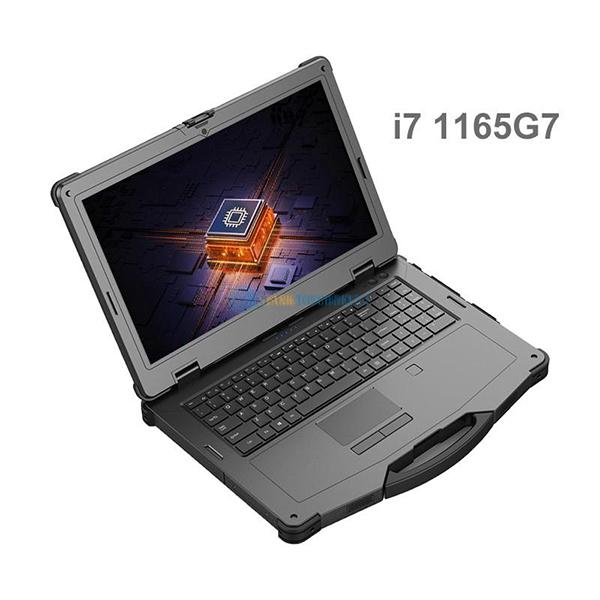
Initial Preparation and Requirements Assessment
Before initiating the connection, it is vital to assess the specific requirements of your industrial automation system. This involves identifying the types of industrial control computers and configuration software in use, as well as understanding the communication protocols supported by these devices.
Identifying Communication Protocols
Common communication protocols in industrial settings include Modbus, OPC UA, Ethernet/IP, and others. Each protocol has its own set of characteristics, advantages, and limitations. For instance, Modbus is widely used for its simplicity and compatibility with various devices, while OPC UA offers enhanced security and data modeling capabilities. Select a protocol that aligns with the capabilities of your industrial control computers and configuration software.
Ensuring Hardware Compatibility
Verify that the hardware components, such as communication interfaces and cables, are compatible with the chosen protocol. For serial communication protocols like Modbus RTU, ensure that the correct type of serial cable (e.g., RS-232, RS-485) is used. For Ethernet-based protocols, check that the network infrastructure supports the required data transfer rates and that the devices are connected to the same network segment.
Configuring Communication Parameters
Once the communication protocol is selected, the next step is to configure the communication parameters on both the industrial control computer and the configuration software.
Setting Up the Industrial Control Computer
Access the communication settings on the industrial control computer. This may involve navigating through the device's operating system or a dedicated configuration utility. Configure parameters such as the communication port (e.g., COM1, COM2 for serial ports; Ethernet port for network-based protocols), baud rate (for serial communication), IP address, subnet mask, and gateway address (for Ethernet-based protocols). Ensure that these settings match the requirements of the configuration software and the network environment.
Configuring the Configuration Software
Launch the configuration software and locate the communication configuration section. Select the appropriate communication protocol from the available options. Enter the same communication parameters that were configured on the industrial control computer, such as the port number, IP address, and device ID (if applicable). Some configuration software may also require additional settings, such as data format (e.g., binary, ASCII) and timeout values.
Establishing the Connection and Testing
After configuring the communication parameters, the next step is to establish the connection between the industrial control computer and the configuration software and perform initial testing.
Initiating the Connection
In the configuration software, use the provided tools or functions to initiate a connection to the industrial control computer. This may involve clicking a "Connect" button or executing a specific command. The software will attempt to establish a communication link based on the configured parameters.
Verifying Connection Status
Once the connection attempt is made, check the connection status in the configuration software. A successful connection will typically be indicated by a status message or a change in the connection icon. If the connection fails, review the communication parameters on both the industrial control computer and the configuration software to ensure they match exactly. Check for any physical connection issues, such as loose cables or incorrect port assignments.
Performing Initial Data Exchange Tests
To verify that the connection is functioning correctly, perform initial data exchange tests. This can involve reading data from the industrial control computer and displaying it in the configuration software or sending control commands from the software to the computer. Monitor the data exchange process for any errors or inconsistencies. If issues are encountered, troubleshoot by checking the data formats, addressing, and communication timing.
Data Mapping and Integration
Once the connection is established and verified, the final step is to map the data between the industrial control computer and the configuration software and integrate it into the overall automation system.
Defining Data Points
Identify the specific data points that need to be exchanged between the industrial control computer and the configuration software. These may include process variables, status indicators, control commands, and alarm information. Create a list of these data points and assign unique identifiers to each one.
Mapping Data in the Configuration Software
In the configuration software, use the data mapping tools to associate the identified data points with the corresponding elements in the software's database or user interface. This may involve linking a process variable to a gauge or trend chart, mapping a status indicator to a text label, or assigning a control command to a button or slider. Ensure that the data mapping is accurate and consistent to avoid errors in data display and control.
Integrating with the Automation System
PREVIOUS:Remote access configuration for industrial control computers
NEXT:Communication debugging between industrial control computers and PLCs
