Welcome STARK TOUCH DEVICE!


Solutions
Remote access configuration for industrial control computers
Industrial Control Computer Remote Access Configuration: A Step-by-Step Guide
In modern industrial settings, the ability to remotely access industrial control computers is becoming increasingly essential. It allows for efficient monitoring, troubleshooting, and management of industrial processes from anywhere, reducing downtime and improving productivity. Here's a comprehensive guide on configuring remote access for industrial control computers.
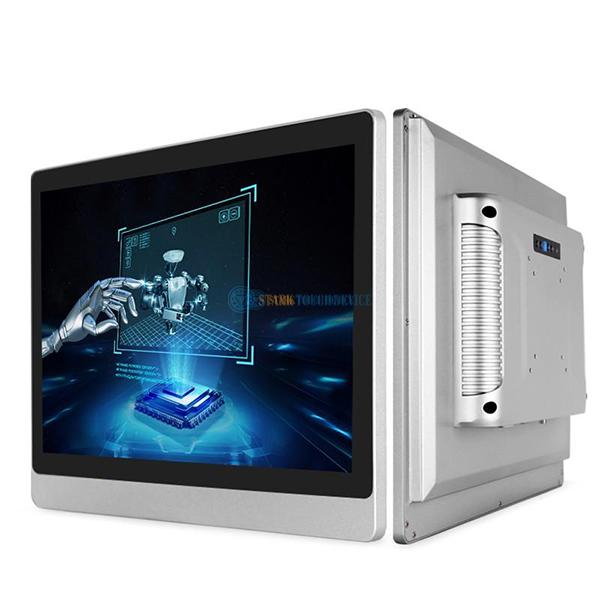
Network Infrastructure Preparation
Before setting up remote access, ensuring a robust and secure network infrastructure is the foundation.
Assessing Network Connectivity
First, evaluate the existing network connectivity of the industrial control computer. Determine if it is connected to a local area network (LAN) or has direct access to the internet. If it's on a LAN, check if there are any firewalls or network segmentation in place that might affect remote access. For example, some industrial networks are divided into different zones for security reasons, and remote access might need to be configured through specific gateways.
Ensuring Bandwidth Availability
Remote access operations, especially those involving real - time data transfer or video streaming for remote monitoring, require sufficient bandwidth. Analyze the current network bandwidth usage and estimate the additional bandwidth needed for remote access. If the available bandwidth is limited, consider optimizing network traffic by prioritizing industrial control - related data or upgrading the network infrastructure if possible.
Remote Access Protocol Selection
Choosing the right remote access protocol is crucial for security, performance, and compatibility.
Virtual Private Network (VPN)
A VPN creates a secure, encrypted tunnel over a public network, such as the internet, allowing remote users to access the industrial control computer as if they were on the local network. It provides a high level of security by encrypting all data transmitted between the remote device and the industrial control computer. When using a VPN, ensure that the encryption algorithms used are strong and up - to - date, such as AES (Advanced Encryption Standard) with a sufficient key length.
Remote Desktop Protocol (RDP)
RDP is a proprietary protocol developed by a well - known technology company that allows users to remotely control a computer's desktop interface. It is widely used for remote access to Windows - based industrial control computers. However, RDP has had some security vulnerabilities in the past, so it's important to keep the operating system and RDP software updated with the latest security patches. Additionally, configure strong authentication methods, such as multi - factor authentication, when using RDP.
Secure Shell (SSH)
SSH is mainly used for secure command - line access to industrial control computers, especially those running Linux or Unix - like operating systems. It provides encrypted communication for logging in, executing commands, and transferring files. SSH is known for its strong security features and is a good choice when a graphical user interface is not required for remote access.
Configuring Remote Access on the Industrial Control Computer
Once the protocol is selected, the next step is to configure the industrial control computer to enable remote access.
Enabling the Chosen Protocol
For a VPN, install and configure the VPN server software on the industrial control computer or on a dedicated server within the industrial network. Follow the software's instructions to set up user accounts, define access rules, and configure encryption settings. If using RDP, enable the RDP service on the Windows - based industrial control computer. This can usually be done through the system settings or control panel. For SSH, ensure that the SSH server is installed and running on the Linux - based industrial control computer.
Setting Up Authentication and Authorization
Strong authentication is essential to prevent unauthorized access. Configure user accounts with complex passwords for all remote access methods. Consider implementing multi - factor authentication, which requires users to provide two or more forms of identification, such as a password and a one - time code sent to their mobile device. Additionally, define authorization rules to restrict remote users' access to specific resources on the industrial control computer based on their roles and responsibilities.
Configuring Firewall Rules
The firewall on the industrial control computer or the network firewall needs to be configured to allow traffic for the chosen remote access protocol. For example, if using RDP, open the appropriate port (usually port 3389) in the firewall to allow incoming RDP connections. However, be cautious when opening ports and limit access to only trusted IP addresses or networks to enhance security.
Testing and Monitoring Remote Access
After configuring remote access, thorough testing and ongoing monitoring are necessary to ensure its reliability and security.
Conducting Initial Tests
From a remote location, attempt to connect to the industrial control computer using the configured remote access method. Verify that the connection is established successfully and that you can perform the required operations, such as accessing files, running commands, or viewing the desktop interface. Check for any latency issues or data transfer problems during the test.
Implementing Monitoring Tools
PREVIOUS:Industrial Control Computer Grounding Specification Operations
NEXT:Steps for configuring the industrial control computer software connection
