Welcome STARK TOUCH DEVICE!


Solutions
Industrial control computer touchscreen calibration adapter
Industrial Control Computer Touchscreen Calibration and Adaptation
In the realm of industrial control computers, touchscreens have become a ubiquitous interface, offering intuitive and efficient operation in harsh environments. However, ensuring accurate and responsive touch interactions requires proper calibration and adaptation to specific usage scenarios. This process is vital for maintaining operational precision, minimizing errors, and enhancing user experience in industrial settings.
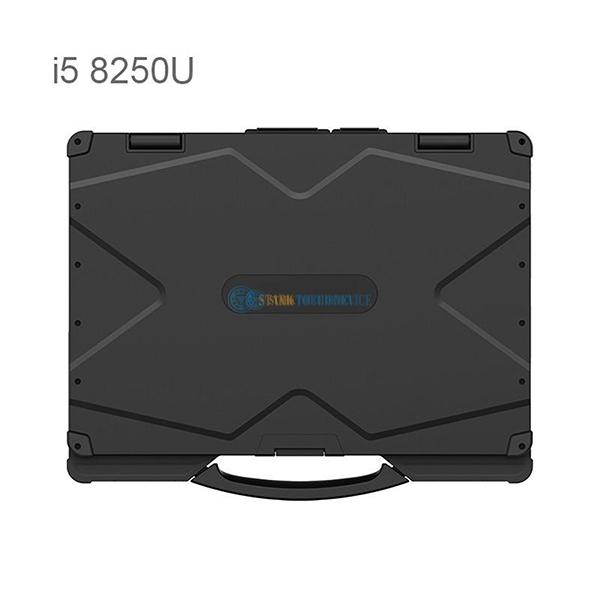
Understanding Touchscreen Calibration Fundamentals
The Importance of Precision in Industrial Applications
Industrial control systems demand high levels of accuracy, as even minor deviations in touch input can lead to significant operational issues. For instance, in a manufacturing line, an incorrectly calibrated touchscreen might cause misalignment of robotic arms or incorrect parameter settings, resulting in defective products or equipment damage. Therefore, precise calibration is essential to ensure that touch inputs are accurately translated into system commands, enabling reliable and consistent operation.
Calibration Process Overview
Touchscreen calibration involves adjusting the system's interpretation of touch coordinates to match the physical layout of the screen. This process typically requires the user to touch specific points on the screen, which the system then uses to calculate the correct mapping between touch input and display output. The calibration process may vary depending on the touchscreen technology used, such as resistive, capacitive, or infrared, but the underlying principle remains the same: to establish an accurate correspondence between the user's touch and the system's response.
Factors Influencing Touchscreen Calibration
Environmental Conditions
Industrial environments often present challenging conditions that can affect touchscreen performance. Extreme temperatures, humidity, dust, and vibrations can all impact the accuracy and responsiveness of the touchscreen. For example, high humidity can cause condensation on the screen surface, leading to erratic touch behavior. Similarly, vibrations from nearby machinery can introduce noise into the touch signal, making it difficult for the system to accurately detect touch inputs. Therefore, it's crucial to consider these environmental factors during calibration and to perform regular recalibration as needed to maintain optimal performance.
Screen Wear and Tear
Over time, the touchscreen surface may become worn or damaged due to frequent use, exposure to chemicals, or accidental impacts. This wear and tear can alter the touchscreen's electrical properties, affecting its ability to accurately detect touch inputs. For instance, scratches on the screen surface can create false touch signals, while worn-out coatings can reduce the touchscreen's sensitivity. Regular inspection and maintenance of the touchscreen, along with periodic recalibration, can help mitigate these issues and ensure consistent performance.
User Interaction Patterns
Different users may interact with the touchscreen in unique ways, which can influence the calibration requirements. For example, some users may apply more pressure when touching the screen, while others may use lighter touches. Additionally, the size and shape of the user's fingers can also affect touch accuracy. To accommodate these variations, some industrial control computers offer adjustable calibration settings that allow users to fine-tune the touchscreen's sensitivity and response based on their individual interaction patterns. This customization can significantly improve the user experience and reduce the likelihood of errors.
Best Practices for Touchscreen Calibration and Adaptation
Regular Calibration Schedule
Establishing a regular calibration schedule is essential for maintaining optimal touchscreen performance in industrial settings. The frequency of calibration will depend on factors such as the intensity of use, environmental conditions, and the specific requirements of the application. As a general rule, it's advisable to perform a full calibration at least once a month or more frequently if the touchscreen is subjected to harsh conditions or heavy usage. Additionally, performing a quick calibration check before each shift or operation can help identify any immediate issues and ensure that the touchscreen is functioning correctly.
Proper Calibration Environment
Creating a suitable calibration environment is crucial for achieving accurate and reliable results. The calibration area should be free from distractions, vibrations, and extreme temperatures or humidity levels. The touchscreen should be clean and free from dust, fingerprints, or other contaminants that could interfere with the calibration process. Additionally, it's important to ensure that the calibration software or tool is up-to-date and compatible with the specific touchscreen technology being used.
User Training and Feedback
Providing comprehensive training to users on proper touchscreen interaction techniques can help reduce the need for frequent recalibration and improve overall system performance. Users should be instructed on how to apply consistent pressure when touching the screen, avoid using sharp objects that could damage the surface, and keep their fingers clean to prevent smudging. Additionally, encouraging users to provide feedback on touchscreen performance can help identify potential issues early on and facilitate timely calibration or maintenance activities.
By understanding the fundamentals of touchscreen calibration, considering the factors that influence its accuracy, and following best practices for calibration and adaptation, industrial organizations can ensure that their control computers deliver reliable and intuitive touch interactions. This, in turn, can enhance operational efficiency, reduce errors, and improve overall system performance in demanding industrial environments.
