Welcome STARK TOUCH DEVICE!


Solutions
Battery replacement and maintenance for industrial control computers
Industrial Control Computer Battery Replacement and Maintenance: Ensuring System Continuity
In the realm of industrial automation, industrial control computers play a pivotal role in managing and monitoring critical processes. These systems often rely on backup batteries to maintain essential functions during power outages or system resets, ensuring data integrity and preventing operational disruptions. Proper battery replacement and maintenance are crucial to guaranteeing the reliability and longevity of these vital components.
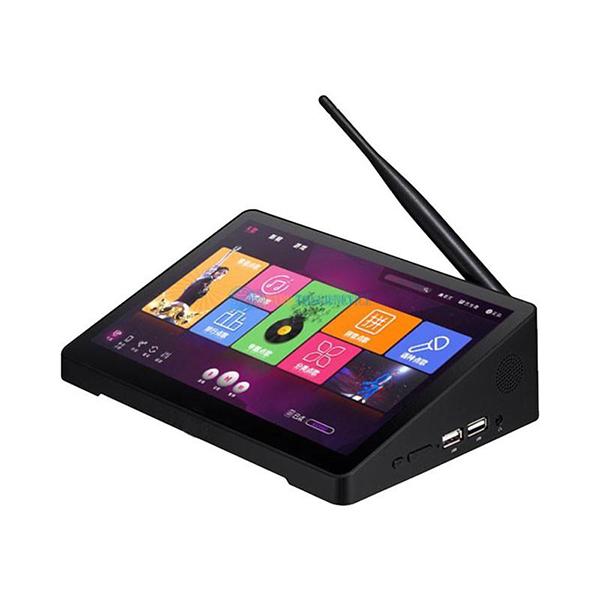
Understanding the Role of Batteries in Industrial Control Computers
Backup Power During Outages
The primary function of batteries in industrial control computers is to provide backup power when the main power supply fails. This backup power enables the system to continue operating for a short period, allowing for the safe shutdown of processes or the transfer of control to redundant systems. Without a reliable battery, sudden power losses could lead to data corruption, equipment damage, or even safety hazards in industrial settings.
Retaining System Configuration and Time Data
In addition to backup power, batteries are responsible for retaining system configuration settings and real - time clock data when the computer is powered off. These settings are essential for the proper functioning of the control system, as they define parameters such as input/output mappings, communication protocols, and alarm thresholds. The real - time clock, on the other hand, ensures accurate time - stamping of events and logs, which is critical for process monitoring, troubleshooting, and compliance with regulatory requirements.
Supporting Uninterruptible Power Supply (UPS) Functions
In some industrial control computer setups, batteries are integrated into uninterruptible power supply (UPS) systems. These UPS systems provide a seamless transition from main power to battery power during outages, eliminating any interruption in the operation of the control computer. The batteries in UPS systems are typically larger and have a higher capacity than those used for basic backup functions, enabling them to support the system for an extended period until normal power is restored or alternative power sources are activated.
Signs That Indicate Battery Replacement is Needed
Frequent System Resets or Data Loss
One of the most obvious signs that a battery in an industrial control computer needs replacement is frequent system resets or data loss. When the battery is no longer able to hold a sufficient charge, it may fail to provide backup power during short - duration power outages, causing the system to reset. Additionally, if the battery cannot retain system configuration and time data when the computer is powered off, this information may be lost, leading to operational issues and the need for manual reconfiguration.
Error Messages Related to Battery Status
Many industrial control computers are equipped with monitoring software that can detect and report battery - related issues. If the system generates error messages indicating low battery voltage, battery failure, or an impending battery replacement, it's a clear indication that the battery should be inspected and potentially replaced. These error messages are designed to alert maintenance personnel before the battery completely fails, allowing for proactive maintenance and minimizing the risk of system downtime.
Reduced Battery Runtime in UPS Systems
For industrial control computers that are part of a UPS system, a noticeable reduction in battery runtime during power outages is a strong sign that the batteries need replacement. As batteries age, their capacity decreases, meaning they can no longer provide power for the same duration as when they were new. If the UPS system is no longer able to support the control computer for the expected amount of time during an outage, it's time to replace the batteries to ensure continued protection against power - related disruptions.
Step - by - Step Guide to Battery Replacement in Industrial Control Computers
Preparing for the Replacement
Before starting the battery replacement process, it's essential to take the necessary safety precautions. This includes powering off the industrial control computer and disconnecting it from the main power supply to avoid electrical shocks. Additionally, it's advisable to wear appropriate personal protective equipment (PPE), such as anti - static gloves, to prevent damage to sensitive electronic components.
Next, gather the tools and materials needed for the replacement. This may include a screwdriver, pliers, and a new battery that is compatible with the industrial control computer model. It's crucial to ensure that the replacement battery has the correct voltage, capacity, and physical dimensions to fit properly in the battery compartment.
Removing the Old Battery
Once the necessary preparations are complete, locate the battery compartment on the industrial control computer. This is typically accessible through a panel on the side or back of the unit. Use the appropriate tools to remove any screws or fasteners holding the panel in place, and then carefully open the compartment.
Inside the compartment, identify the old battery and disconnect any cables or connectors attached to it. Be sure to note the orientation of the cables, as they will need to be reconnected to the new battery in the same way. Once the cables are disconnected, gently remove the old battery from the compartment, taking care not to damage any surrounding components.
Installing the New Battery
Take the new battery and carefully insert it into the battery compartment, ensuring that it is properly aligned with the mounting points or slots. Reconnect the cables or connectors to the new battery, following the same orientation as the old battery. Double - check that all connections are secure to prevent any loose contacts that could cause issues with the battery's performance.
After installing the new battery, close the battery compartment panel and secure it with the screws or fasteners removed earlier. Once the panel is in place, reconnect the industrial control computer to the main power supply and power it on.
Verifying the Battery Replacement
Once the industrial control computer is powered on, verify that the new battery is functioning correctly. Check the system's monitoring software for any battery - related error messages or status indicators. Additionally, perform a simulated power outage test (if possible) to ensure that the battery provides backup power as expected and that the system retains its configuration and time data when powered off.
PREVIOUS:Anti-static protection for industrial control computers
NEXT:Industrial control computer redundant component switching drill
